Better coding with the MDN MCP Server from Mozilla: Examples with Mistral Vibe Cli and OpenCode
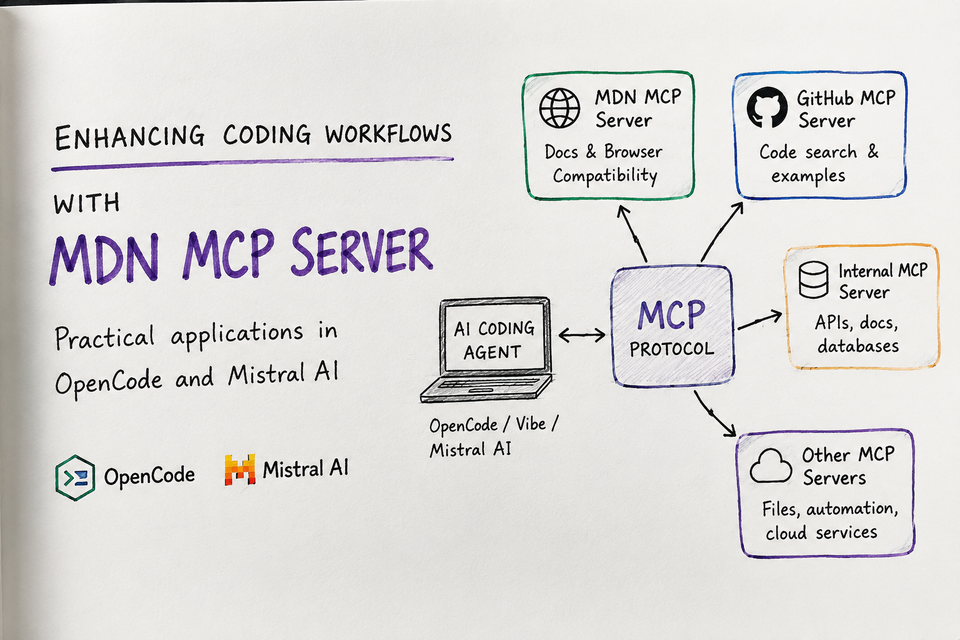
For developers who care about code quality, the new MDN MCP Server is a very practical addition to AI-assisted coding workflows. The new (June 2026) MDN MCP Server gives AI coding agents direct access to MDN Web Docs and browser compatibility data.
Web dev is generated more and more by AI
AI coding assistants are becoming part of everyday development. In particular web and frontend development is more and more AI generated. Years of complicated JS and CSS stuffs are now integrated in the LLM models.
One of the issues is that these models are based on old examples and specifications, often coming from antique/bad practices shown in StackOverflow and tutorials.
JavaScript APIs change. CSS features evolve. Browser support differs between Chrome, Firefox, Safari, and mobile browsers. An AI assistant may know a feature exists, but it may not know the latest details, caveats, examples, or compatibility status.
That is where the MDN MCP Server becomes interesting.
The MDN Model Context Protocol server gives MCP-compatible tools access to MDN Web Docs, including documentation pages and Browser Compatibility Data. Instead of asking an AI assistant to rely only on its training data, you can connect it to a live, authoritative documentation source.
What is MCP and why it is important for you?
Model Context Protocol, usually shortened to MCP, is an open standard that allows AI applications to connect to external tools and data sources through a common interface.
You can think of MCP as a plugin layer for AI agents.
Instead of every AI coding tool building a custom integration for every documentation site, issue tracker, database, browser, or internal API, MCP provides a standard way for tools to expose capabilities.
An MCP server exposes tools.
An MCP client, such as an AI coding assistant, can call those tools.
The language model can then use the returned data to answer questions or perform tasks with better context.
For developers, this is powerful because it turns an AI assistant from a static chatbot into a tool-using coding partner.
What is the MDN MCP Server?
The MDN MCP Server is an experimental server from MDN Web Docs. Its goal is simple but valuable:
Give AI coding agents reliable, up-to-date access to web platform documentation.
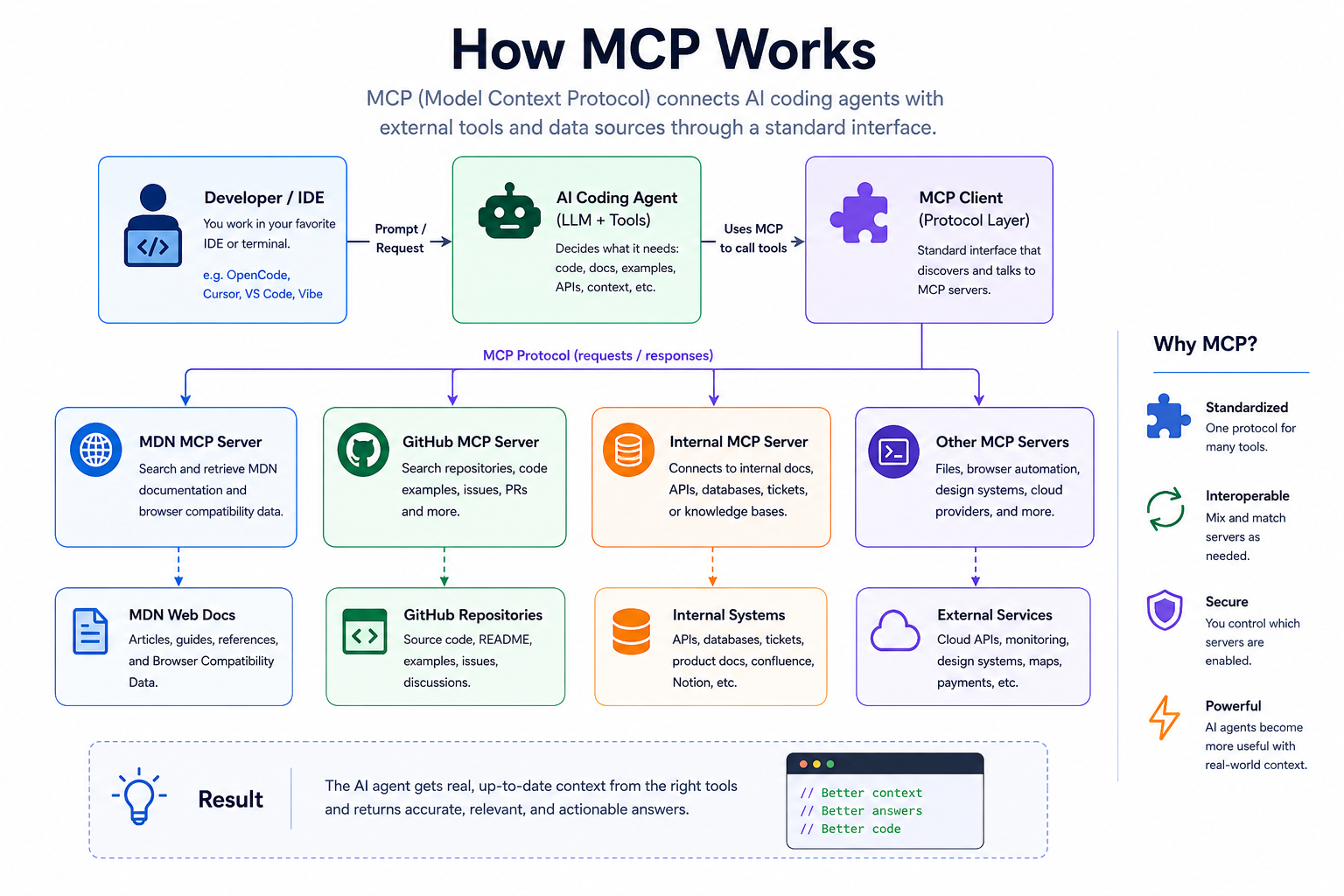
The server currently exposes three main capabilities:
- Search MDN documentation
The assistant can search for web technology topics such asfetch,flexbox,BroadcastChannel,Popover API, orCSS anchor positioning. - Retrieve full MDN documentation pages
The assistant can fetch a complete MDN page as Markdown. This is useful when you need examples, syntax, notes, specifications, or explanations. - Retrieve Browser Compatibility Data
The assistant can fetch compatibility data for a specific web platform feature, including support across major browsers.
This is especially useful for front-end and full-stack developers working with JavaScript, TypeScript, Angular, CSS, HTML, and Web APIs.
Why this matters for developers
Most AI coding assistants are good at producing plausible answers. But plausible is not always correct.
For example, an assistant may suggest a modern Web API that works in Chromium browsers but has limited Safari support. Or it may use an outdated syntax for a CSS feature. Or it may recommend a polyfill that is no longer necessary.
The MDN MCP Server helps reduce that risk by letting the assistant check MDN directly.
This changes the workflow from:
“Generate code based on what you remember.”
to:
“Check MDN, retrieve the relevant documentation, verify browser compatibility, then generate code.”
That is a big difference.
For production development, especially in client projects, this can improve:
- API accuracy
- browser compatibility decisions
- documentation quality
- code review confidence
- technical explanations
- onboarding for junior developers
- architecture decisions involving modern web features
Adding super MDN powers to Mistral Vibe Code
Mistral AI Vibe Code also supports MCP servers. You can configure external MCP tools in a config.toml file so that their tools become available inside the Vibe Code CLI.
I did a quick test to show the difference, before configuring the MCP server I asked Mistral Vibe CLI one of the questions from the MDN examples:
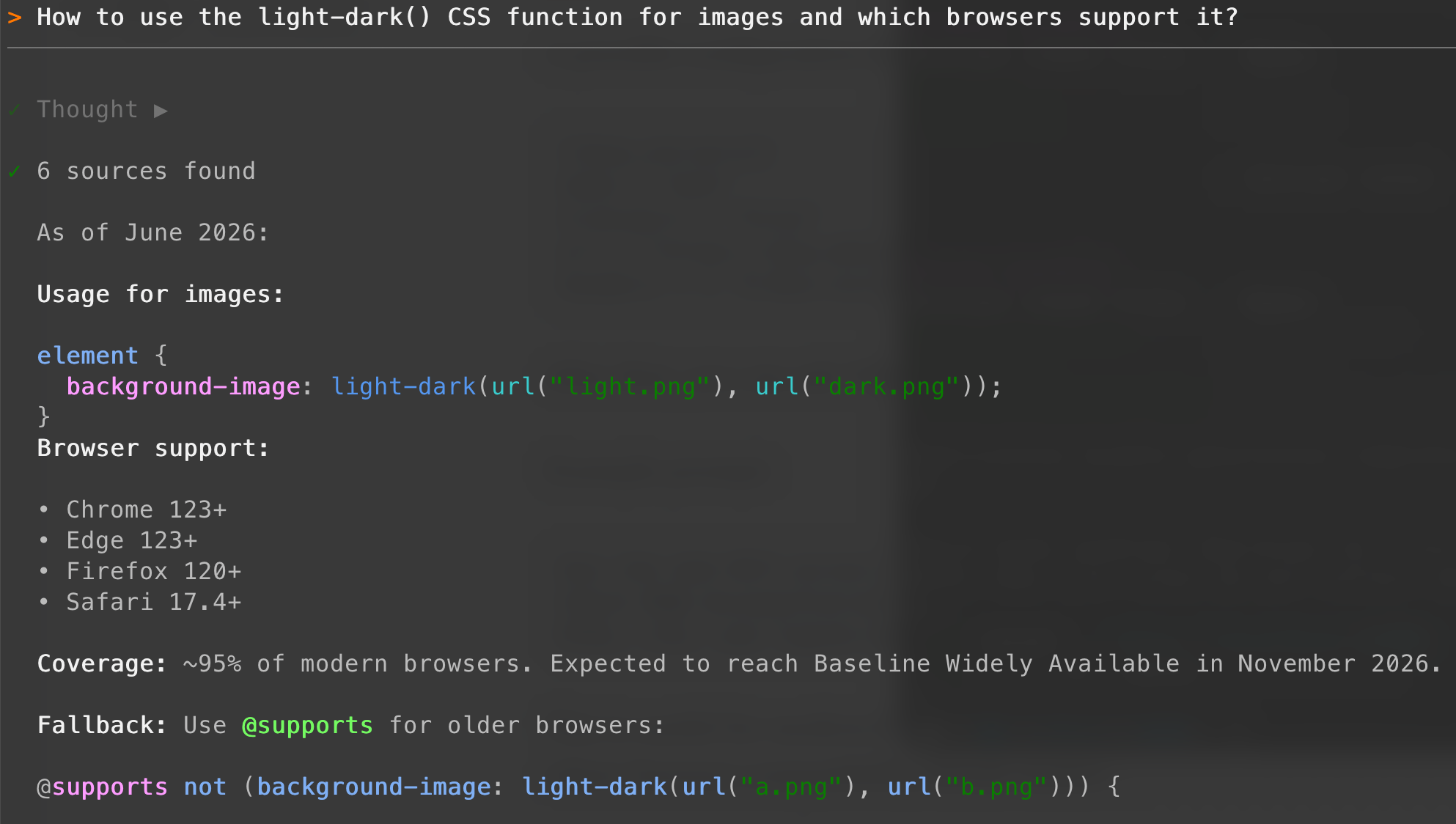
You can configure the server like this (in my case I don't skip the analytics):
[[mcp_servers]]
name = "mdn"
transport = "http"
url = "https://mcp.mdn.mozilla.net/"
After that, you can restart Vibe Code and ask the same question, the improvement of the answer quality is impressive:
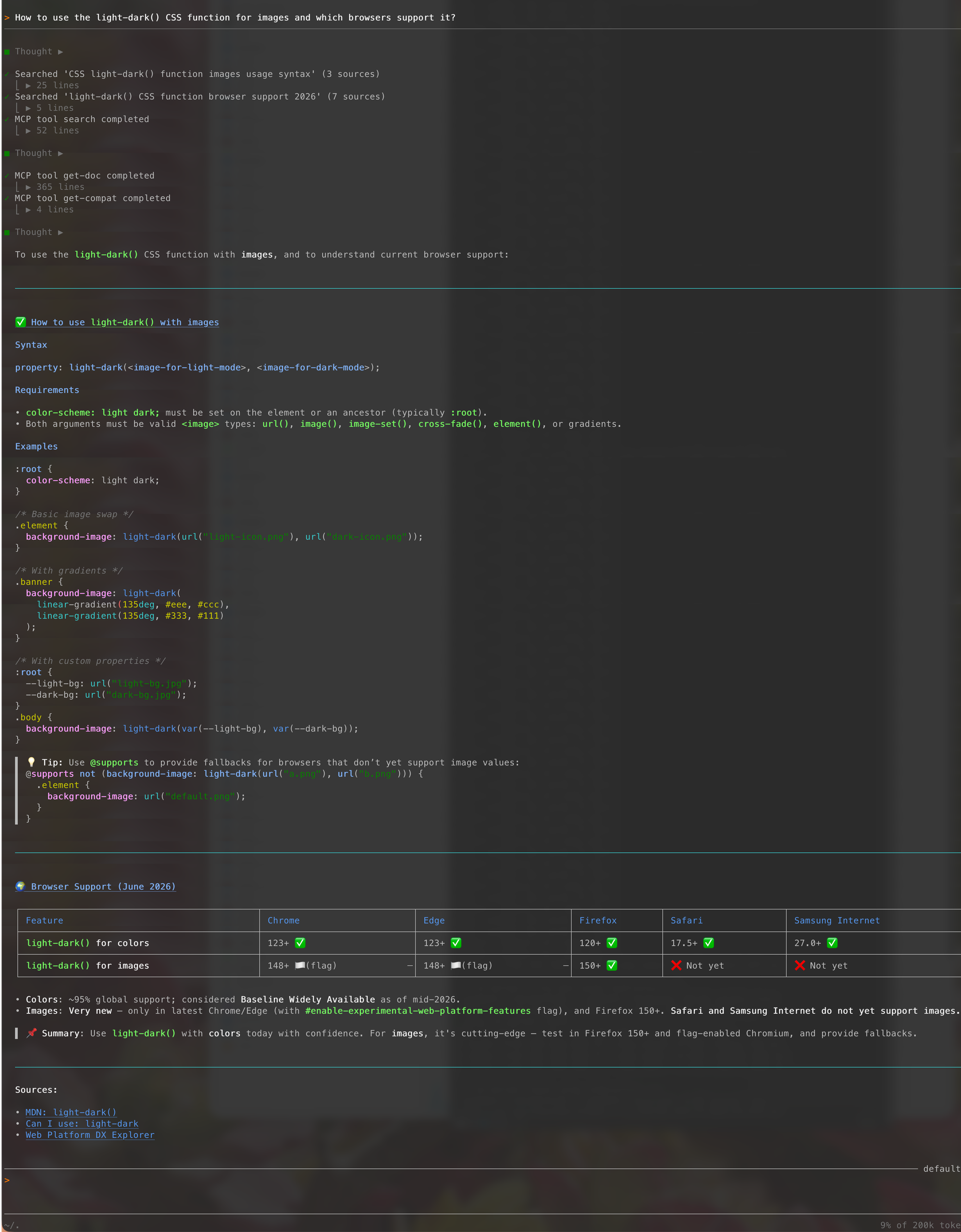
In the detail of the answer you can see the calls to the MDN MCP:
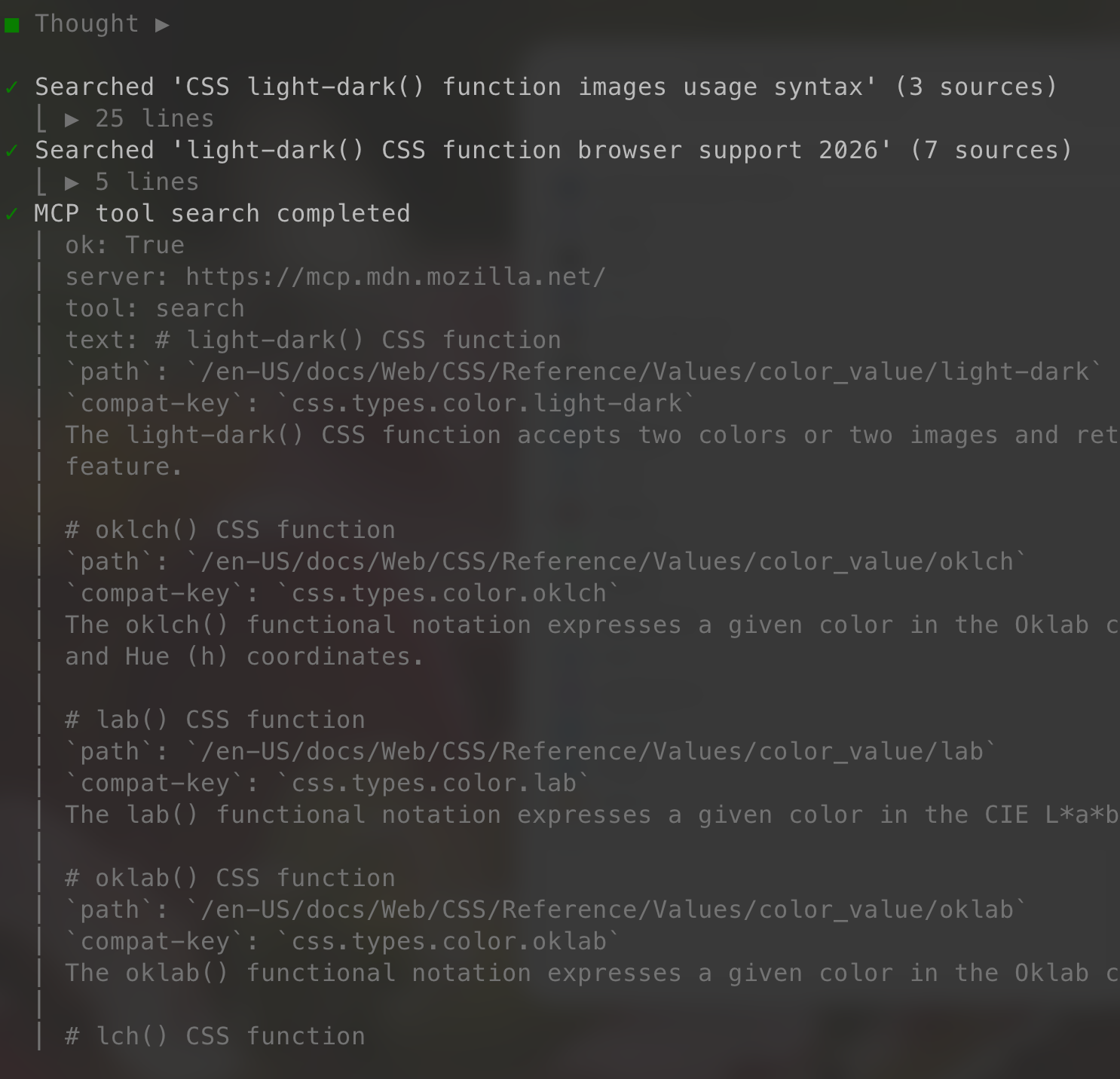
Example prompts
Here are some practical prompts you can use.
1. Check browser compatibility before implementation
Use MDN. I want to use the Popover API in a production Angular application. Check the documentation and browser compatibility, then recommend whether I should use it.2. Generate implementation from current docs
Use MDN to retrieve the latest documentation for CSS container queries. Then create a responsive Angular card layout using modern CSS.
3. Compare APIs
Use MDN to compare BroadcastChannel and storage events for cross-tab communication. Include browser support and implementation trade-offs.
4. Review existing code
Use MDN to check whether this code uses the Fetch API correctly. Pay attention to AbortController, error handling, and browser compatibility.
5. Document a technical decision
Use MDN to verify the current state of the View Transitions API. Then write an ADR explaining whether we should adopt it in our Angular application.
Configuration in OpenCode
OpenCode is an open-source AI coding agent that can run in the terminal, IDE, or desktop environment and it comes as default in Linux Omarchy. It supports local and remote MCP servers, which means you can connect external tools such as MDN.
A possible OpenCode configuration for the remote MDN MCP Server could look like this:
{
  "$schema": "https://opencode.ai/config.json",
  "mcp": {
    "mozilla mdn": {
      "type": "remote",
      "url": "https://mcp.mdn.mozilla.net/",
      "enabled": true,
      "headers": {
        "X-Moz-1st-Party-Data-Opt-Out": "1"
      }
    }
  }
}
X-Moz-1st-Party-Data-Opt-Out: 1 is used to skip the analytics that are active by default in this beta phase.For my personal test I left analytics enabled, because feedback can help Mozilla improve the beta. For client or company projects, I would be more conservative and use the opt-out header.
After adding this configuration, you can restart OpenCode to use MDN when answering web platform questions.
You can verify that it is correctly configured with opencode mcp debug [name]
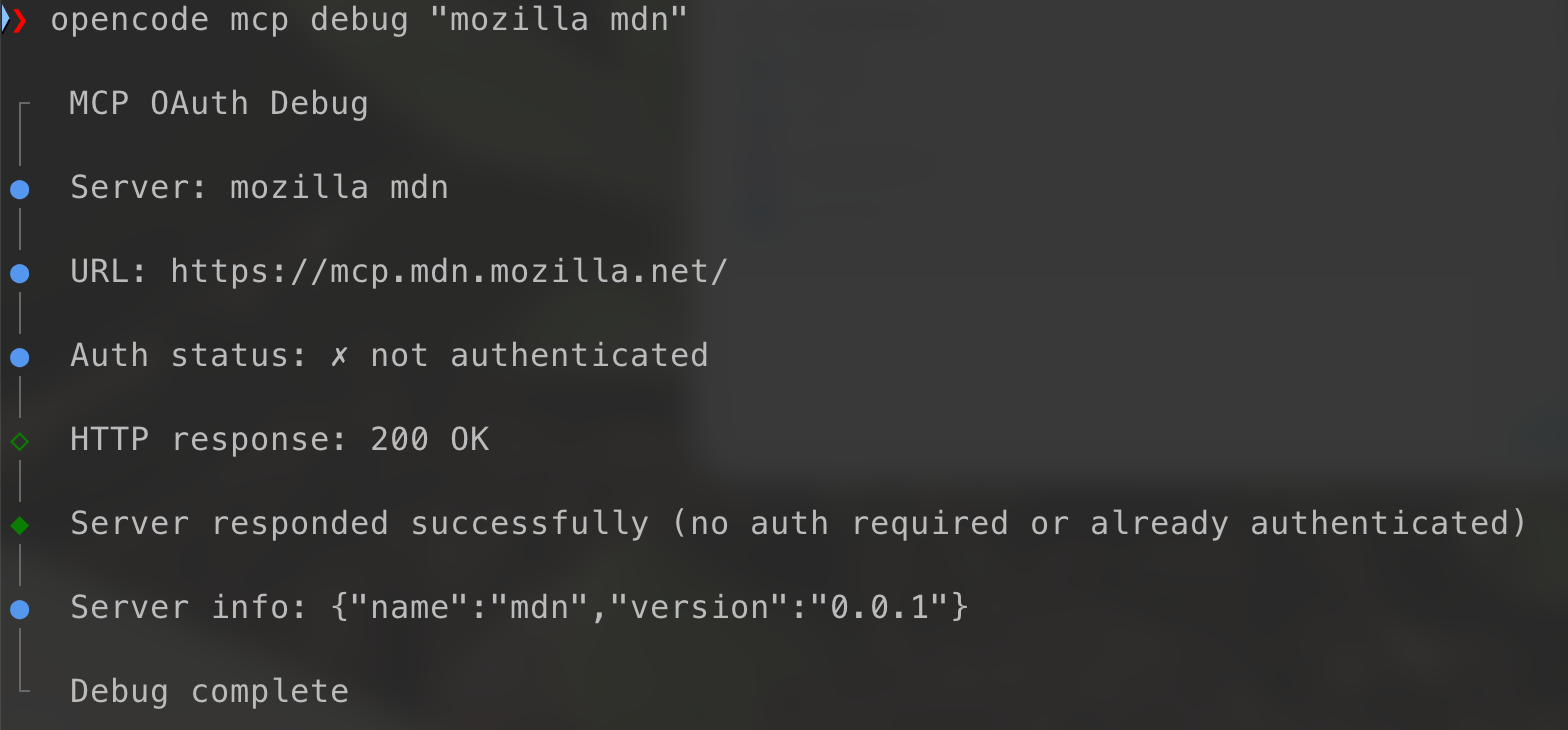
Example prompt:
Use the mozilla mdn MCP server. I am building an Angular component that uses the Clipboard API. Check the current MDN documentation and browser compatibility before suggesting the implementation.
A better AI assistant should now:
- Search MDN for the Clipboard API.
- Retrieve the relevant MDN documentation.
- Check Browser Compatibility Data.
- Suggest an Angular-friendly implementation.
- Mention browser limitations or permission requirements.
That is much more useful than simply generating a generic navigator.clipboard.writeText() snippet.
Conclusion
The MDN MCP Server is a great tool to improve the quality of your product code.
The key idea is simple:
Before letting the AI guess, make it check MDN.
The project is still experimental, so it is worth testing carefully and giving feedback. But even in this early phase, it shows where AI-assisted development is going: less guessing, more verified context, and better coding workflows.
References
 The MDN Team June 15, 2026 4 minutes read
 mdn
mdn