Apache NetBeans - clear the cache and rebuild maven indexes

If you have issues with the indexation of files and resources in Netbeans, e.g. it freezes building the maven dictionary
Clean the NetBeans cache
You can manually delete the NetBeans cache … but what’s the path?
You can see the path of NetBeans cache in the NetBeans menu.

It will appear a page with the logo of Apache NetBeans with some system information.
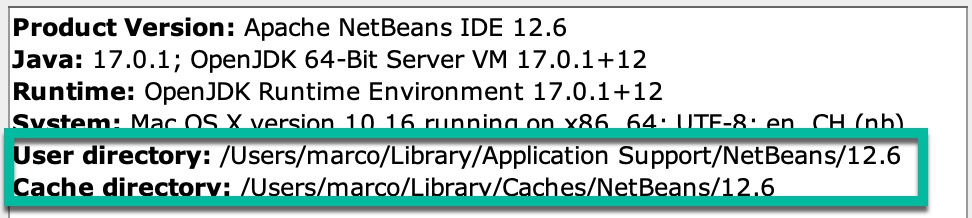
The User directory contains your configuration (e.g. open projects). The Cache directory contains the data that you can delete.
To remove the files you can execute rm -r ./* from /User/[your user]/Library/Caches/NetBeans/[NB Version]
Rebuild Maven indexes
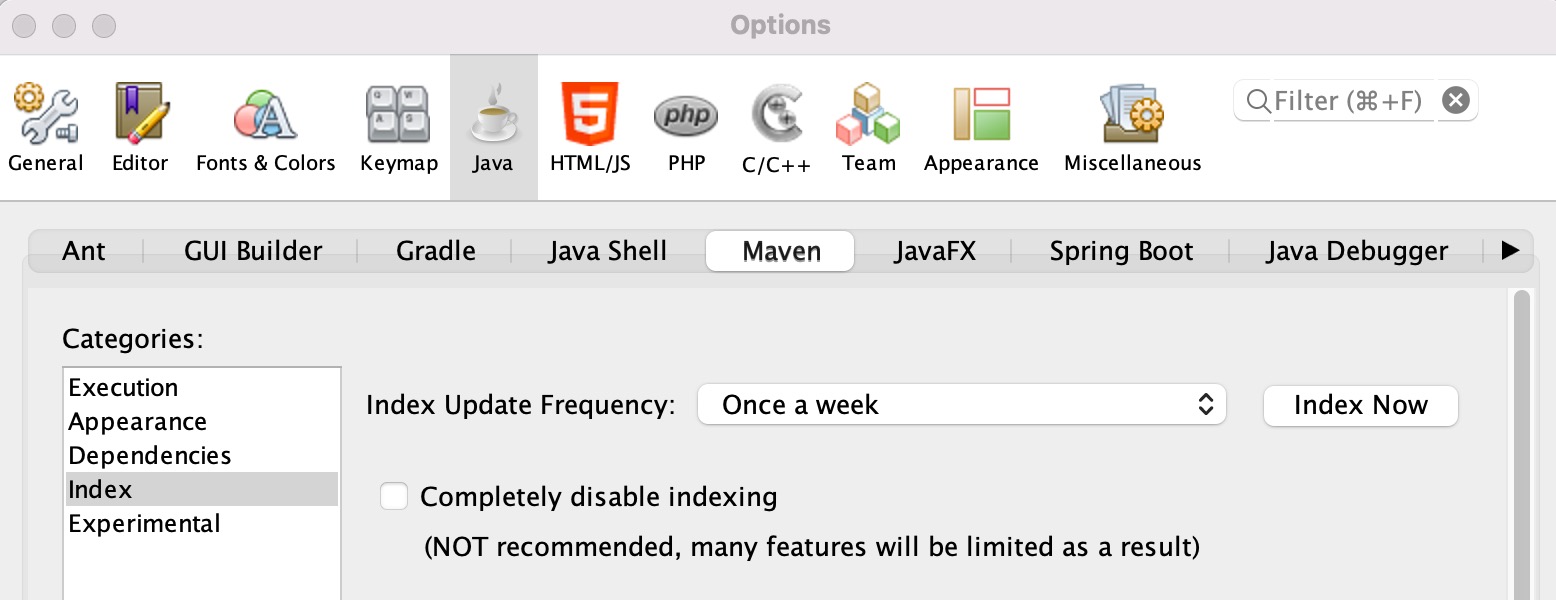
To rebuild the Maven you can go in the Options → Java → Maven you can click Index Now.