Angular CLI MCP in a Real-World Project
To experiment with the latest releases of Angular and Java, I use my 'pet project', a real complex investment analysis tools. It isn't a commercial product, but it's more sophisticated than many business applications I've built for commercial clients.
With AI we can write much more code, much faster, but we need to be able to maintain a professional quality in that code. Some frameworks gently help us with this goal. We already know that Mozilla MDN provides an MCP for web standards: https://www.marmo.dev/better-coding-mdn-mcp/
In the next post, we'll examine the Spring Tools plugin for Claude. For now, let's look at the Angular CLI MCP.
If you don't know what an MCP is, check the MDN post for an introduction.
Improved Review Workflow
AI brings us some new tools to improve the code quality, in our standard workflow we can add 2 steps of pre-validation using skills and mcp server, these 2 steps should be executed before the static analysis because they could potential modify the code.
Code -> [Skills.md -> MCP] x 2-3 times -> Static Analysis (e.g. Sonar) -> Human review -> QA
Angular CLI MCP
You can find the description in the official documentation here: https://angular.dev/ai/mcp
Our goal is to verify whether a large, mature project follows correctly Angular's standards and best practices ... and how we can improve it.
This doesn't replace a static analyzer, but can help reduce technical debt while also giving AI assistants access to current Angular guidance, if you are developing assisted by LLM/AI your model will know which rules to follow.
Installation with Claude
Angular doesn't mention Claude (Google produces Antigravity IDE), but in our case we will use Claude for the analysis. I use other tools but Claude has the advantage to be compatible with Spring Toolbox that we will see in the next post.
The same approach works with other MCP-compatible coding agents, such Codex and Mistral.
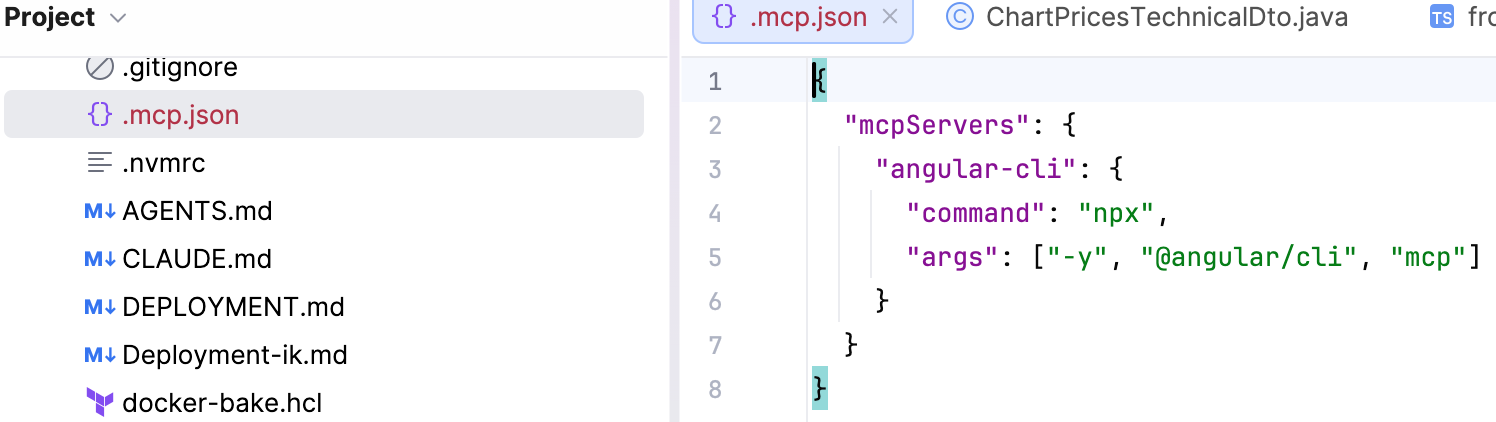
In your project you can simply add an .mcp.json file in the directory in which you start Claude Code with the script in the official Angular documentation.
In my case, I have a full-stack project and I place it in the root.
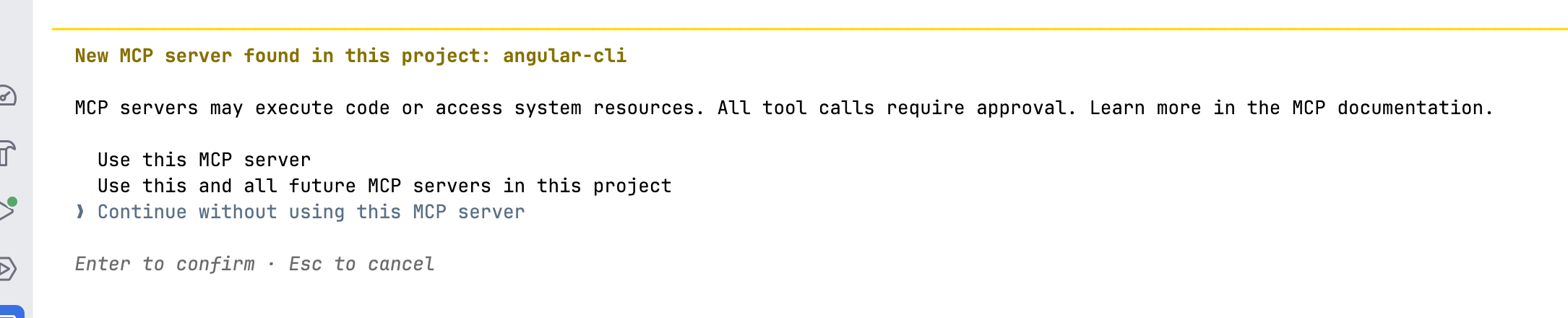
You need to restart Claude Code after this change, Claude will ask you to confirm that you want to enable the MCP Server. You can choose 'Use this MCP server' and start to use the new features.
Using Angular MCP
Now that it is installed you can ask Claude what it can do with this MCP, e.g.:
What it actually exposes (per Angular's own MCP server, roughly current tool set):
  - get_best_practices — dumps Angular's official style-guide/best-practices doc (signals, standalone components, control-flow syntax, etc.) into context, so the assistant follows current idioms instead of stale patterns.
  - search_documentation — full-text search over angular.dev docs, returns grounded doc excerpts instead of relying on training-data memory.
  - find_examples — pulls example code snippets for a given API/feature.
  - list_projects — reads angular.json and lists the projects/targets in the workspace (useful in a multi-project repo).
  - A few write-capable ones (gated behind --read-only when you don't want them) tied to running schematics/generators through the CLI rather than raw shell.

Practical value for this repo: it'd keep me aligned with Angular 19+ idioms (relevant to your standalone: false NgModule setup) and let me search live docs instead of guessing on API changes — useful given the Material 20 panelClass→classList gotcha you already hit once.
Claude forgot to mention some of the tools provided, here the official list:
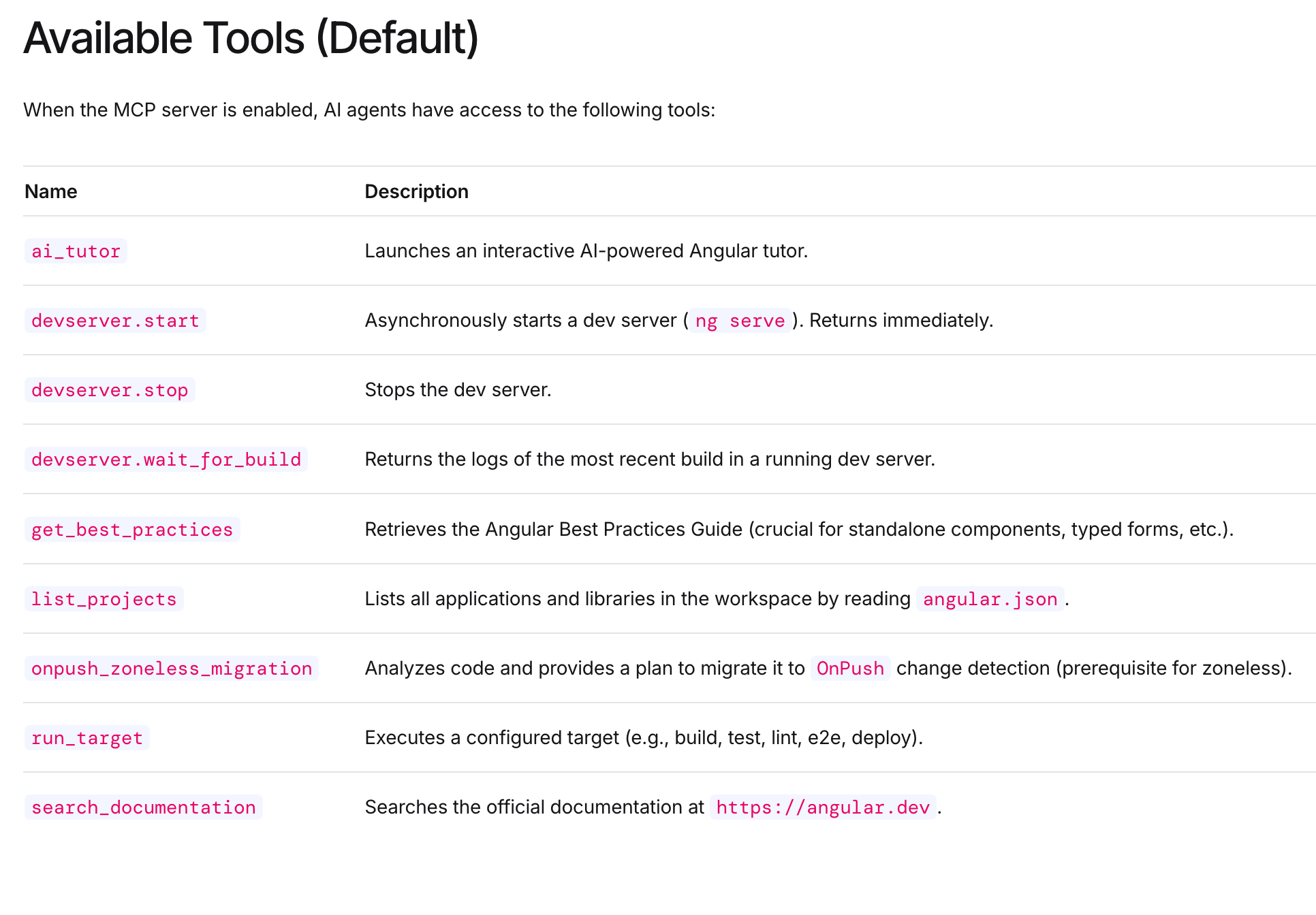
What I find the most useful is the get best practicesand maybe find examplesif you want to understand how to implement something.
For the best practices Claude will pull the files from the Angular documentation and use when it analyze or write code for you:
How do you want to get the Angular best-practices content right now? → Fetch it from angular.dev directly (Recommended)

⏺ Fetch(https://angular.dev/context/best-practices.md)
  ⎿  Received 99.4KB (200 OK)
  ⎿  Allowed by auto mode classifier

⏺ Fetch(https://angular.dev/llms.txt)
  ⎿  Received 6.6KB (200 OK)
  ⎿  Allowed by auto mode classifier

⏺ Fetch(https://angular.dev/style-guide)
  ⎿  Received 223.9KB (200 OK)
  ⎿  Allowed by auto mode classifier
Check your code with Angular CLI MCP - The results
Now you can simply ask Code to analyze your code and check if it follow the best practices of Angular, this avoid that it will search some old discussion on StackOverflow and it will instead use the Angular Documentation.
Here an example for my https://marmofin.ch project:
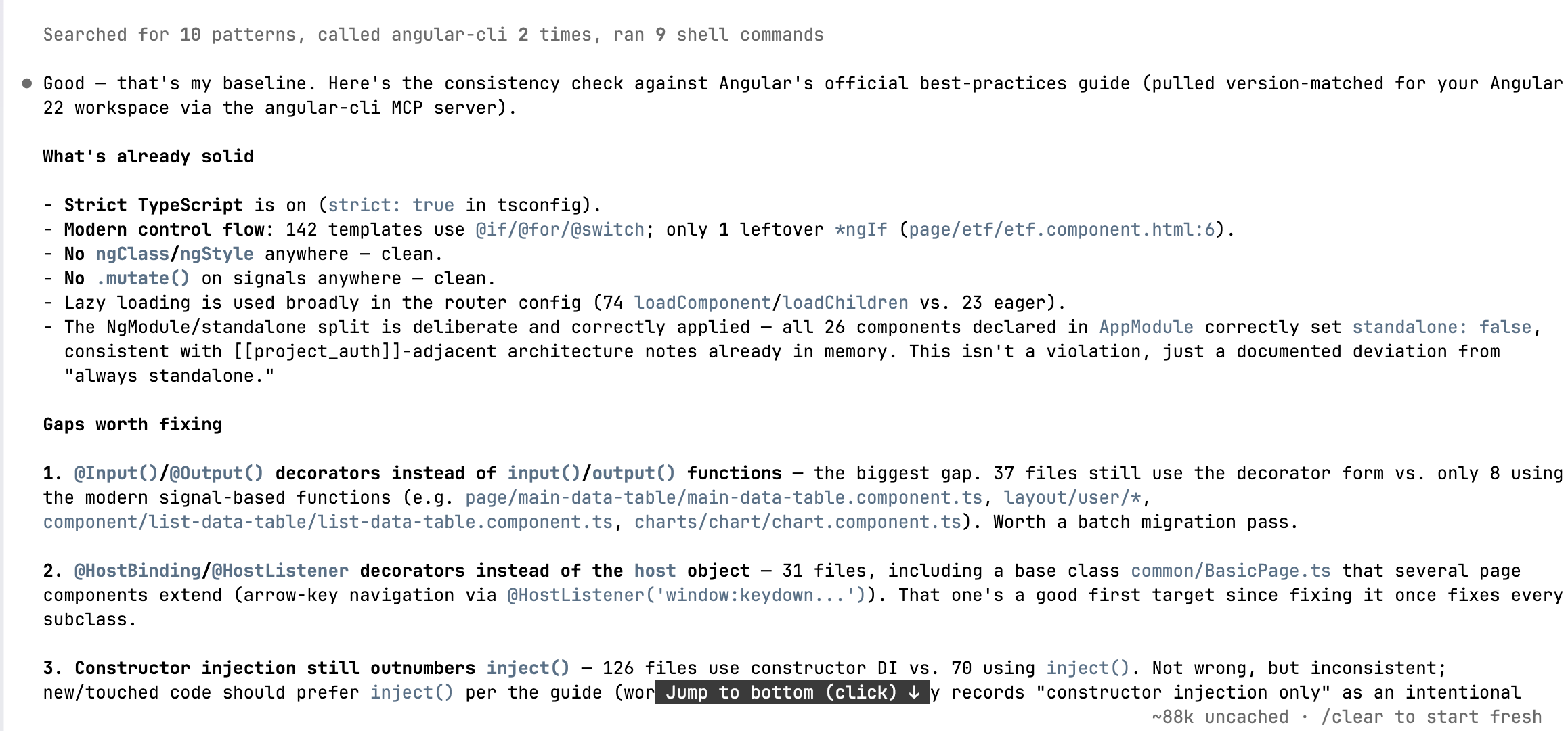
I executed the check a second time in a different session and the results were similar, but not identical (as expected). I would suggest that you run the MCP server check multiple time.
 Called angular-cli 2 times, ran 4 shell commands
 ⏺ Now I have enough signal to write up a findings summary against the Angular MCP's official best-practices guide.
Read 1 file
⏺ Checked the frontend against the Angular CLI MCP's version-specific best-practices guide (frameworkVersion 22, workspace frontend/angular.json).
Summary, worst issues first:

1. God component — chart.component.ts (4,921 lines)                           Single file for the main charting component; market-chart-component.component.ts is another (668 lines). Guide: "Keep components small and focused on a single responsibility." ...

2. @HostBinding/@HostListener used in 30 files (34 occurrences)              Guide explicitly says not to use these decorators — put bindings/listeners in the host object of @Component/@Directive instead.

3. Decorator-based @Input/@Output still dominant over signal input()/output() 101 @Input() vs 16 input(), 14 @Output() vs 3 output(). Guide wants the signal-function form. Not urgent, but new/touched components should migrate.

4. Template-driven forms still present 27 files use ngModel vs 29 using FormGroup/FormControl. Guide prefers Reactive forms exclusively.

Good news / non-issues

- No *ngIf/*ngFor/*ngSwitch except one leftover in etf.component.html (easy single-file cleanup) — the rest of the app already uses @if/@for/@switch.
- No ngClass/ngStyle usage found — clean.
- No .mutate() calls on signals — clean.
- OnPush is set on 92 components and computed() is used in 26 files, so signal-based state management is well underway, just not finished everywhere.
- NgOptimizedImage/ngSrc only used in 2 places while 7 files still have plain <img> — minor, worth a look if those aren't inline base64.
Bottom line: the app is mid-migration toward modern Angular (signals, OnPush, control-flow syntax are already mostly adopted) but three things drag quality down: the oversized, loosely-typed chart component, the repo-wide @HostBinding/@HostListener usage, and lingering any/decorator-input patterns.

Want me to tackle any of these (e.g., start the @HostBinding/@HostListener → host object migration, since that's mechanical and low-risk)?
The analysis is useful. Beside the oversized Chart class component that has lot to do with AI generated code and different agents could not refactor, the other changes are minor and can be implemented by the AI itself.
AI can find and use Angular tools
Combined with Angular MCP the AI agent succeded to find the existing migration tools and use them to migrate from Output() to output(), avoiding a 'manual' change of the code. Many developers would probably overlook the migration tools if they didn't read the official documentation of Angular.

Don't forget Angular SKILLS.md
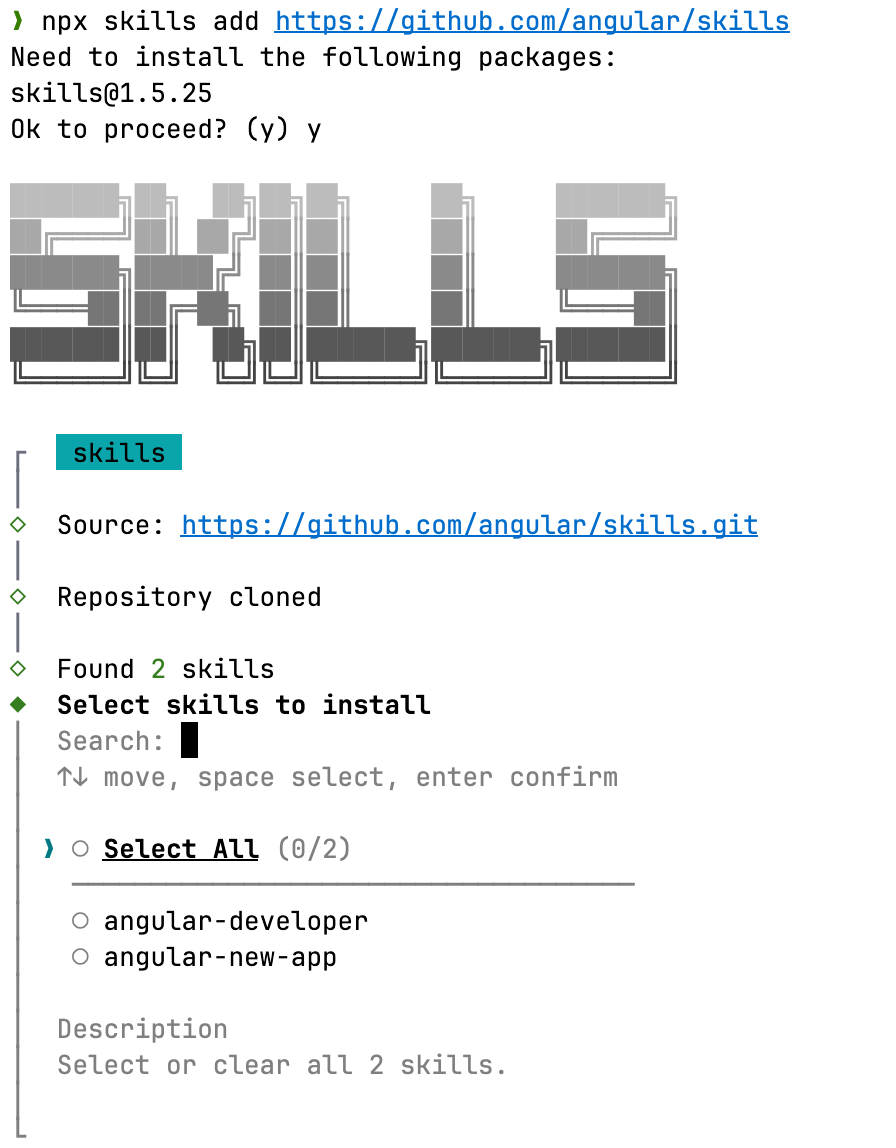
The Angular team provides skillsto use with you AI favorite pet. You can follow the installation process here:
 Angular Team
The process simply copy the official Angular skills in the folder of your favorite AI agent.