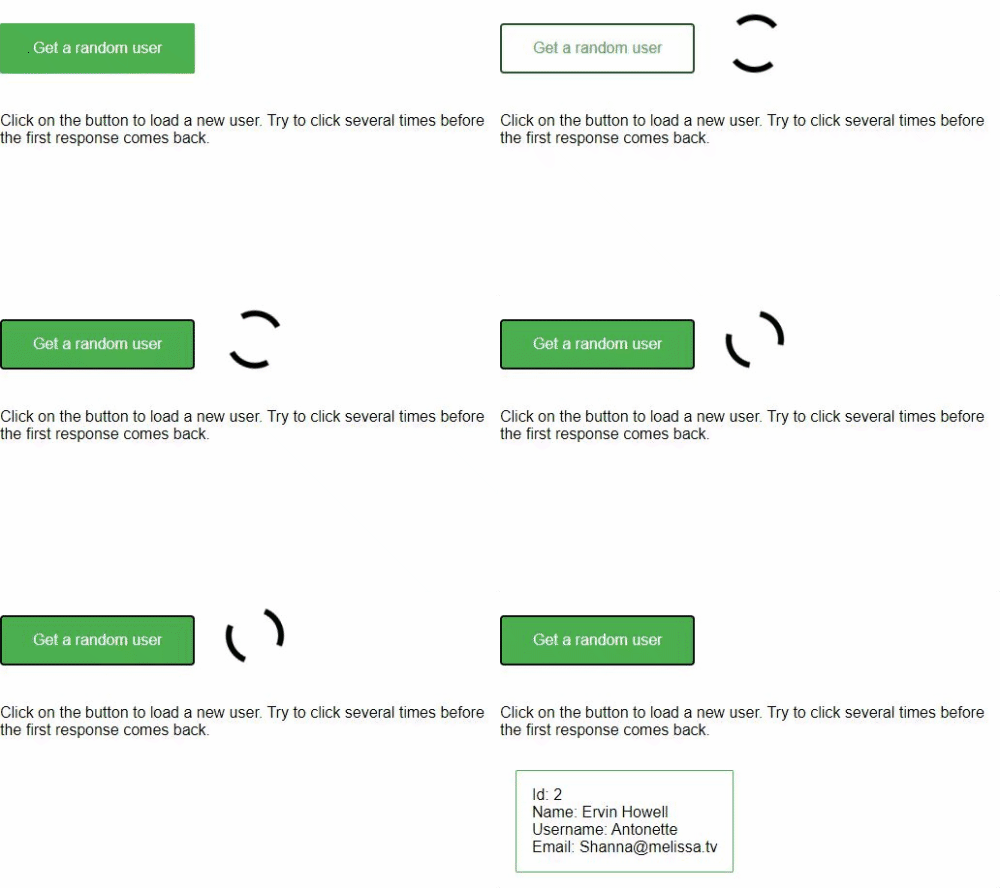
Angular Loading Indicator application

In order to provide a really nice user experience, An Angular application does quite a lot of things behind the scene in an asynchronous manner, such as HTTP requests to perform some operations on the handled resources.
The browser does not show that the current route is loading or that a REST call is issued, as in standard websites. If the remote call is long to be processed, the natural behaviour of an impatient user would be to click everywhere to check that the application is not blocked...
It would of course result in a huge number of remote calls, making the situation even worse!
It would be a nice idea to show to the user that something is being processed behind the scene and try to make him more patient.
That's where the loading indicator comes into play.
Architecture
We need only a few elements to achieve that goal:
- an HTTP interceptor providing a way to centralize the incrementing and decrementing of the REST calls
- a service responsible for holding the loading indicator state
- a component showing the loading indicator
HTTP interceptor
All HTTP requests are intercepted in order to instruct the service to start the indicator before issuing the request and stop the indicator after receiving the response.
export function loadingIndicatorInterceptor(req: HttpRequest<unknown>, next: HttpHandlerFn) {
    const loadingIndicatorService = inject(LoadingIndicatorService);

    // Start the loading indicator
    loadingIndicatorService.start();

    // Return the original request
    return next(req)
        // Stops the loading indicator when the HTTP call gets cancelled, completes or throws an error
        .pipe(finalize(() => loadingIndicatorService.stop()));
}
As every interceptor, it must be defined in app.config.ts file in the providers section. This one should be in the first position.
export const appConfig: ApplicationConfig = {
    providers: [
        provideBrowserGlobalErrorListeners(),
        provideHttpClient(withInterceptors([loadingIndicatorInterceptor])),
        provideRouter(routes)
    ]
};
Service
The service basically holds a counter of on-going tasks and exposes a Signal emitting the status of the loading indicator as a boolean (are there on-going tasks?).
@Service()
export class LoadingIndicatorService {

    // Signal of ongoing tasks
    private tasks = signal(0);

    // Signal to expose the loading indicator
    loading = computed(() => this.tasks() > 0);

    /**
     * Start a loading task (e.g. when a new server connection is started)
     */
    start() {
        this.tasks.update(tasks => tasks + 1);
    }

    /**
     * Stop a loading task (e.g. when a server connection has been finished)
     */
    stop() {
        if (this.tasks() > 0) {
            this.tasks.update(tasks => tasks - 1);
        }
    }

}
Component
The component show the loading indicator to the user based on its status (given by the service via the Observable).
export class LoadingIndicatorComponent {

    private readonly loadingIndicatorService = inject(LoadingIndicatorService);
    loading = this.loadingIndicatorService.loading;

}
This implementation of the HTML part of the component is over simple, but the beauty of the UI is not the goal in this example. Of course, it could be replaced by a nice Material spinner.
@if (loading()) {
<div class="loading-indicator"></div>
}
Code example
An example of a (really simple) working application can be browsed
here: https://github.com/ocanzillon/angular-loading-indicator