Right click context menu with Angular
Update: I updated the source code for Angular 17 and for a Standalone component. The StackBlitz example is still based on Angular 10.
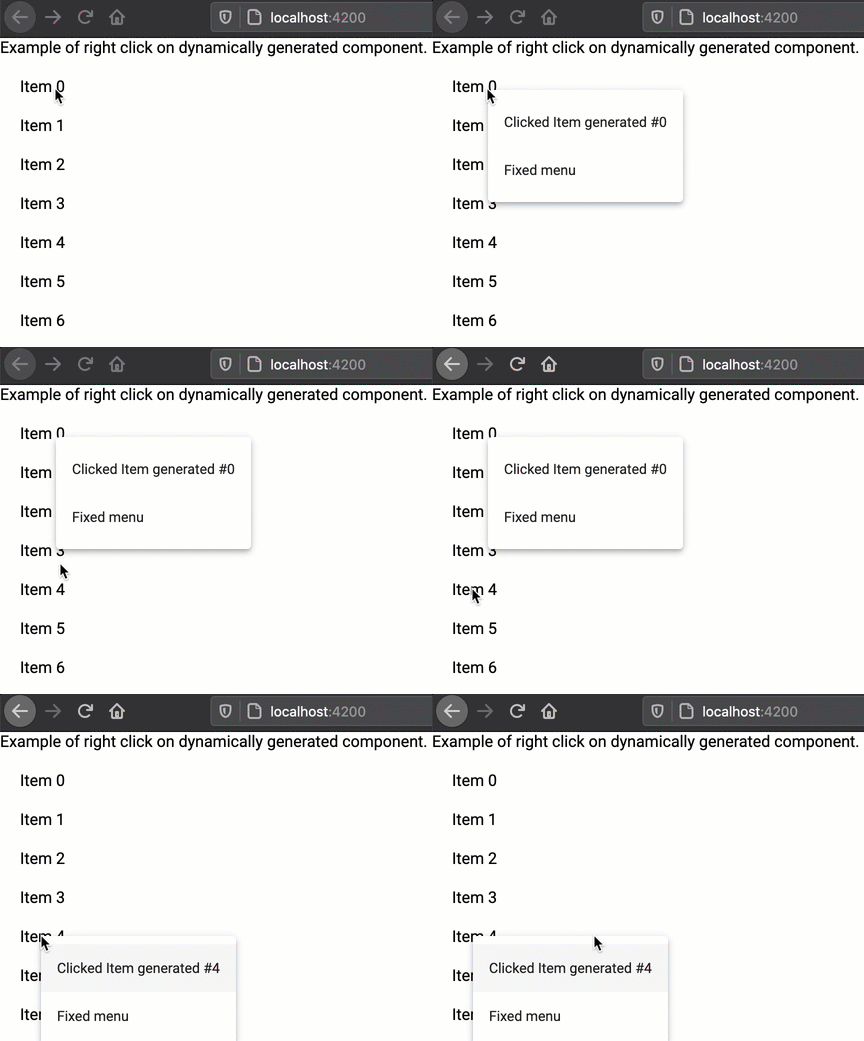
Create a right click context menu inside a dynamic list or table
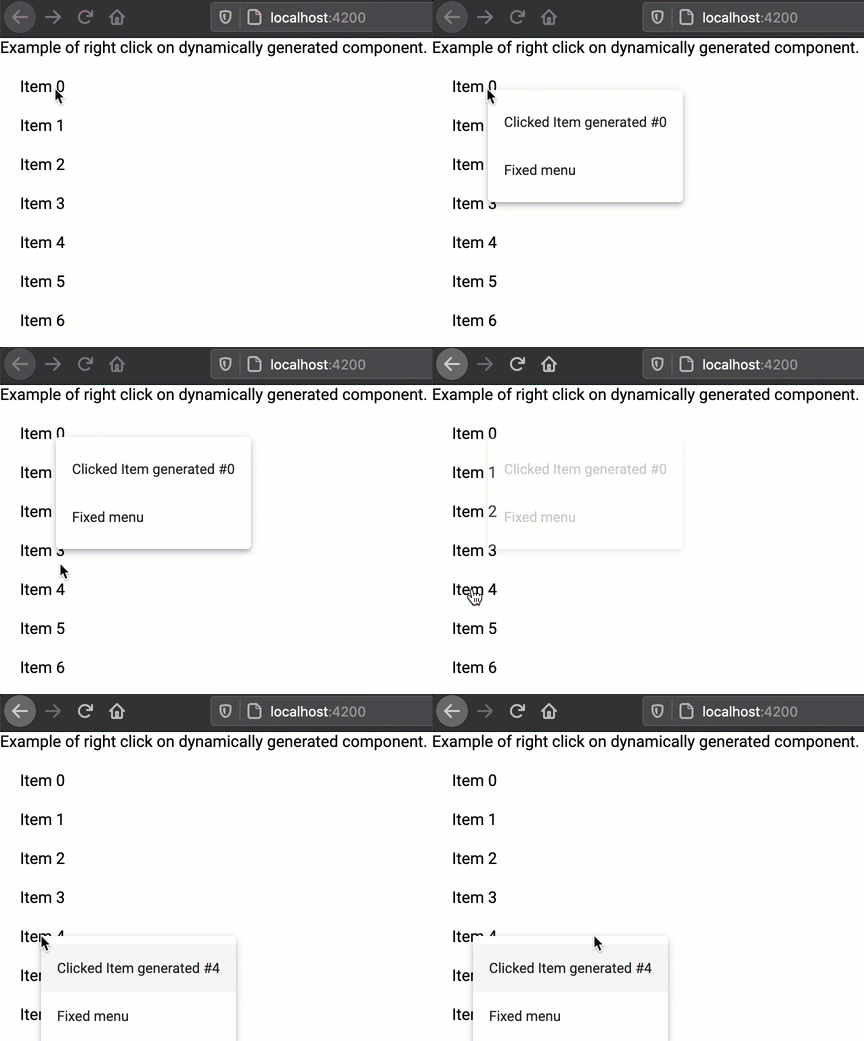
We need to link each element of a list or table to a right-click context mat-menu.
The list elements and their menu are generated only at runtime. To generate dynamically the menu we create a hidden div with the coordinates of the mouse.
Component code
Here is important to notice that we define the position of the menu using the coordinates of the mouse.
  // we create an object that contains coordinates
menuTopLeftPosition =  {x: 0, y: 0};

// reference to the MatMenuTrigger in the DOM
@ViewChild(MatMenuTrigger, {static: true}) matMenuTrigger!: MatMenuTrigger;

/**
 * Method called when the user click with the right button
 * @param event MouseEvent, it contains the coordinates
 * @param item Our data contained in the row of the table
 */
onRightClick(event: MouseEvent, item: {content: string}): void {

  // preventDefault avoids to show the visualization of the right-click menu of the browser
  event.preventDefault();

  // we record the mouse position in our object
  this.menuTopLeftPosition.x = event.clientX;
  this.menuTopLeftPosition.y = event.clientY;

  // we open the menu
  // we pass to the menu the information about our object
  this.matMenuTrigger.menuData = {item: item};

  // we open the menu
  this.matMenuTrigger.openMenu();

}
html code updated for Angular 17
<div class="container">
  <!-- we generate a number of items dynamically-->
  @for(menuItem of getExamples(10); track menuItem) {
  <div>
    <!-- when the user clicks on the div the onRightClick event is called, we pass a simple object-->
    <div (contextmenu)="onRightClick($event, {content: 'Item generated #' + menuItem})"
         style="padding-bottom: 20px;">
      Item {{menuItem}}
    </div>
  </div>
  }

  <!-- a hidden div is created to set the position of appearance of the menu-->
  <div
          style="visibility: hidden; position: fixed;"
          [style.left.px]="menuTopLeftPosition.x"
          [style.top.px]="menuTopLeftPosition.y"
          [matMenuTriggerFor]="rightMenu"></div>

  <!-- standard material menu -->
  <mat-menu #rightMenu="matMenu">
    <ng-template matMenuContent let-item="item">
      <button mat-menu-item>Clicked {{item.content}}</button>
      <button mat-menu-item>Fixed menu</button>
    </ng-template>
  </mat-menu>
</div>
Here you can play the StackBlitz project
src="https://stackblitz.com/edit/blog-right-click-menu?ctl=1&embed=1&file=src/app/app.component.ts?embed=1"></iframe></p></body>